

Mirror Dash Cam Installation: Wiring, Power and Parking Mode

About the author...
Dave has been taking gadgets apart since he was old enough to be told not to. Every pick here is checked against the manufacturer's own documentation rather than the retail listing, and each star rating starts from a product's real Amazon customer score before being adjusted for performance, build quality, features and value. Read more about how ratings are calculated.
Table of contents
-
Key Takeaways (TL;DR)
- Powering It: A Socket Gets You Recording, a Hardwire Kit Gets You Parking Mode
- The Front-Plus-Rear Bundle That Defines This Category
- The Mirror Screen at Night: Glare and Auto-Dimming
- MicroSD Cards: Why Loop Recording Wears Them Out Faster
- Mounting and Footage: The Part That Genuinely Varies by Country
- Common Mistakes When Installing a Mirror Dash Cam
-
FAQ
- Do I need a hardwire kit, or is the 12V socket enough?
- Will parking mode drain my car battery?
- Why does a mirror dash cam need a rear camera cable run, and can I skip it?
- What size or type of microSD card should I buy?
- Why does my mirror dash cam's screen bother me more at night than a normal dash cam's would?
- Is dash cam footage admissible as evidence, and will my insurer accept it?
- Wrapping Up
Plugging a mirror dash cam into the 12V socket gets it recording in minutes, but it only records while the engine is running. Round-the-clock parking surveillance needs a hardwire kit spliced into the fuse box instead, and because almost every mirror dash cam bundles a rear camera too, running that second cable through the cabin is usually the longest part of fitting one.
That distinction between plug-in power and a proper hardwire kit is the single biggest thing to understand before buying. It decides what the camera can actually do once you've parked and walked away. It also isn't the only decision this category forces on you. The mirror-mounted screen makes this style of camera convenient to check at a glance. But it also sits directly in your eyeline after dark. How well it dims matters more here than on a dash-mounted unit you can angle away from your face. The microSD card inside gets treated harder than almost any card in an ordinary consumer device. It's being written to continuously, not just occasionally. None of this shows up in a product listing's headline spec. All of it affects whether the camera you buy actually does the job once it's installed.
This guide covers what happens between unboxing a mirror dash cam and having it running the way you expected. If you're past that stage and want to compare specific models, our roundup of mirror dash cams covers real sensor specs, screen sizes and card ceilings side by side.
Key Takeaways (TL;DR)
- A 12V socket only powers the camera with the ignition on. Parking mode needs a hardwire kit tapped into the fuse box instead.
- A hardwire kit uses three wires: constant battery power, ignition-switched ACC power, and ground.
- Low-voltage cutoff protects the battery by shutting the camera down automatically before it drains too far to start the car.
- Nearly every mirror dash cam bundles a rear camera, unlike a standalone front-only dash cam, and running that cable is the main install job.
- Screen glare and auto-dimming quality vary a lot between models, and a bright, poorly-dimmed screen is a real distraction at night.
- Continuous loop recording wears a microSD card faster than normal use. Endurance-rated cards exist specifically for this.
- Mounting and evidence rules vary by country. Check the obstruction and privacy rules where you actually drive.
Powering It: A Socket Gets You Recording, a Hardwire Kit Gets You Parking Mode
Every mirror dash cam ships with a cable that plugs into the car's cigarette-lighter or accessory socket. For a lot of buyers, that's as far as installation goes. It's genuinely simple: plug in, tuck the cable along the windscreen trim, done. The catch is that this socket is switched with the ignition on most cars. The camera powers down the moment you turn the key off. Whatever happens to your car in a car park, at the kerb, or in a driveway overnight goes unrecorded, because nothing is running the camera.
A hardwire kit solves that by connecting the camera directly to the car's electrical system instead of the socket. It's a small inline box with three wires. One goes to a fuse that has constant power even with the ignition off. One goes to a fuse that's only live when the ignition is on, usually labelled ACC for accessory. The third goes to a ground point on the chassis. That combination lets the kit's own circuitry tell the difference between the car being driven and the car being parked. It switches the camera into a lower-power parking mode automatically, with nothing for you to do.
The part worth understanding is what stops that constant connection from flattening your battery. A hardwire kit's built-in low-voltage cutoff monitors the car's battery voltage while parked. It shuts the camera off once voltage drops past a set point, protecting your ability to start the car later rather than the footage itself.1 Kits typically let you choose from a handful of cutoff voltage options. Some newer kits report battery voltage back to the camera over Bluetooth, so you can see it on the recorded footage.1 Fitting the kit itself means finding the right fuses. That usually means pulling the fuse box cover and using a test light or multimeter to identify a constant-live slot and an ignition-switched one, then running the cable back to the mirror along the A-pillar trim.
Whether you need any of this comes down to what you're actually trying to catch. If your only concern is what happens while you're driving, the socket is genuinely fine and a hardwire kit is unnecessary complexity. If you park on the street, in a shared car park, or anywhere your car might get hit while unattended, parking mode is the entire reason to own the camera. That means budgeting for a hardwire kit as part of the purchase, even when it's sold separately from the camera itself.
The Front-Plus-Rear Bundle That Defines This Category
A standalone dash cam is usually just a front-facing unit stuck to the windscreen. Installing one is a five-minute job: mount, plug in, route the cable, finished. A mirror dash cam is a different proposition almost by default, because the format nearly always comes with a second, rear-facing camera bundled in the box. That's the point of the mirror form factor in the first place. The touchscreen clipped over your existing mirror can show either camera's feed, or both split-screen. That's only useful if there's actually a second camera feeding it.
That second camera is also where most of the installation effort goes. It has to be mounted somewhere it can see behind the car, typically on the inside of the rear windscreen or, on models built for it, outside near the number plate. Either way, its cable has to travel the full length of the car's interior to reach the mirror unit at the front. That means running a thin cable along the headliner, down or around a rear pillar, and tucking it out of sight the whole way. On an estate or hatchback that route is longer, often with more trim panels to work the cable behind. It's fiddly rather than difficult. But it's the step that turns a five-minute front-only install into an afternoon job, and it's worth knowing that going in rather than discovering it mid-installation.
Find a product: Best Mirror Dash CamsThe upside of doing that work is a genuinely useful reversing and rear-collision record that a front-only camera simply can't give you. It's the reason this format exists at all, rather than just being a front camera with a fancier screen. The downside, beyond the install itself, is that the rear camera is the one exposed to the elements if it's mounted outside. It's also the one you're most likely to forget about when it eventually needs replacing or repositioning after a wash or a knock.
The Mirror Screen at Night: Glare and Auto-Dimming
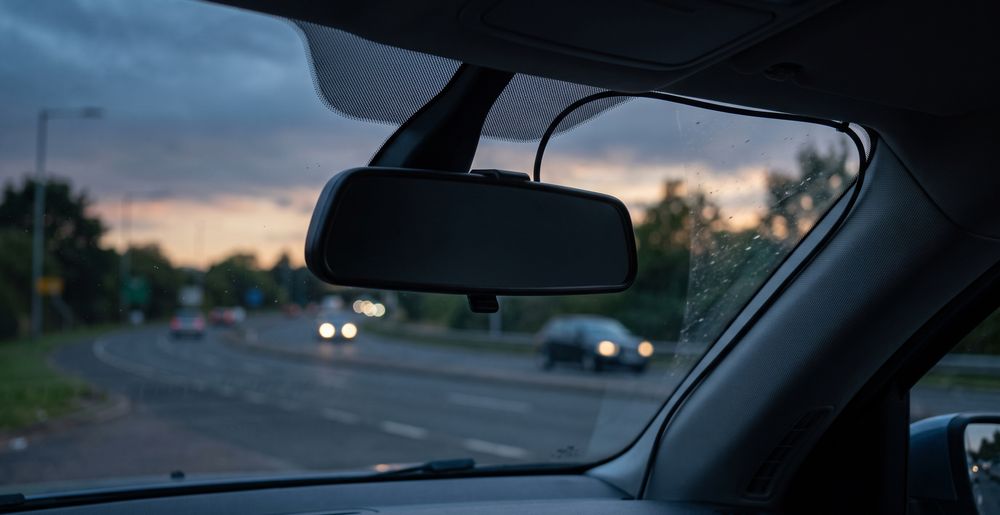
A dash-mounted camera's screen sits low and off to one side, easy to angle away from your eyeline. A mirror dash cam's screen is, by definition, exactly where you'd normally look for a clear rearward view. That means its brightness and reflectivity matter more here than in any other dash cam format. A screen that's too bright at night doesn't just distract you. It can throw a faint reflection back onto the windscreen glass, directly in your line of sight, which is the opposite of what a mirror is supposed to do.
Auto-dimming is the feature that's supposed to fix this, and it varies noticeably between models. A good implementation reads ambient light and drops screen brightness smoothly as it gets dark. Ideally it switches to a black or near-black display once the live view isn't needed, showing only a minimal status bar. A poor implementation either doesn't dim enough, dims in visible steps that catch your eye as it happens, or dims the whole screen including elements you still want to glance at. None of this shows up in a spec sheet. That's exactly why it's worth watching for in reviews and hands-on impressions before you buy, rather than assuming any touchscreen mirror handles it the same way.
There's a broader point behind this worth being straightforward about. Interacting with any touchscreen while driving pulls attention away from the road, whether that's adjusting settings, swiping between camera feeds, or checking playback. Research into driver distraction has found that phone use while driving carries roughly four times the crash risk of driving without it.2 The distraction is largely cognitive, not just physical.2 A mirror dash cam's touchscreen isn't a phone, but the same principle applies to any screen you're tempted to touch while moving. Set it up before you drive, and leave it alone once you're underway. The dimming behaviour matters for exactly this reason: a camera that manages its own brightness well is one you never need to touch at night.
MicroSD Cards: Why Loop Recording Wears Them Out Faster
A mirror dash cam records constantly whenever it's powered, overwriting the oldest footage on the card once it fills. This is called loop recording, and it's a fundamentally different workload from how most people use a memory card. A camera or phone writes in occasional bursts and leaves the card idle most of the time. A dash cam writes almost continuously for as long as it's powered. For a car used daily, that can mean hours of writing every single day, year after year.
Ordinary consumer microSD cards aren't designed with that workload in mind. Cards that would last indefinitely in a camera can wear out and start dropping frames or corrupting files within a year or two of constant dash cam duty. That's exactly why endurance-rated cards exist as their own product category. SanDisk's High Endurance line, for example, is explicitly built for this use case. The manufacturer states it's designed to withstand the constant writing and rewriting that wears out an ordinary card, and rates its cards for tens of thousands of hours of continuous recording depending on capacity.3 Buying a card built for continuous recording, rather than the cheapest card that meets the camera's speed class, is a small cost. It avoids a much bigger annoyance: discovering the one clip you actually needed was never saved because the card had already started failing.
Beyond buying the right card in the first place, treat it as a wearing part rather than a permanent fixture. Reformat it periodically through the camera's own menu rather than a computer, since that keeps the file system aligned with how the camera writes to it. Replace it outright every couple of years, even if it still appears to work. A card that's silently dropping the occasional frame will look completely normal until the one time you actually need the footage.
Mounting and Footage: The Part That Genuinely Varies by Country
The one rule that holds almost everywhere is straightforward: whatever you mount on or near the windscreen must not obstruct your view of the road. Beyond that shared principle, the details genuinely differ from place to place. There's no single standard covering every reader of this guide. What counts as an acceptable mounting position, whether dash cam footage is admissible as evidence, how insurers weigh it when settling a claim, and whether recording audio of passengers is restricted by privacy law: all of these get answered differently depending on where you drive.
That last point is worth taking seriously on its own, separate from mounting rules. A mirror dash cam's cabin-facing view and always-on microphone mean it can capture conversations as well as road footage. Recording someone without their knowledge can run into data protection or wiretapping-style rules that have nothing to do with traffic law. If you regularly carry passengers, muting the microphone or disabling in-cabin recording is a simple way to sidestep that entirely.
On the insurance side, footage from an incident is commonly useful when you make a claim. A clear recording of what happened removes a lot of the he-said-she-said that fault disputes usually come down to. That's a general practice rather than a guarantee. Whether a specific insurer accepts it, and how much weight they give it, depends on the insurer and the country you're in, not on the camera. Check what your own insurer expects before you assume footage will settle a dispute automatically. And check your own country's rules on mounting position, evidence, and recording passengers before you install anything. A position or a habit that's fine in one country doesn't automatically travel with you to another.
Common Mistakes When Installing a Mirror Dash Cam
The most frequent one is buying the camera without budgeting for the hardwire kit, then being surprised that parking mode isn't included. On most mirror dash cams the kit is sold separately. A camera that looks like a complete package on the shelf often isn't, once you actually want the feature that made you want a mirror dash cam in the first place.
A second is routing the rear camera cable badly. That means pulling trim panels off without checking for airbag wiring behind them, or leaving the cable exposed across a door sill where it gets pinched every time the door closes. Take the time to tuck it behind existing trim along a route that doesn't cross a moving part, even if that means a slightly longer cable run.
A third is treating the memory card as an afterthought, buying whatever capacity is cheapest without checking it's rated for continuous recording. The card is a wearing part in this application, not a one-time purchase. It's also the cheapest single line item that most affects whether your footage is actually there when you need it.
The last is setting the hardwire kit's cutoff voltage and then forgetting about it. A setting that's fine for a car driven daily can leave an infrequently used car's battery too depleted to start, after just a week or two of parking-mode recording. If your car sits for long stretches, either choose a more conservative cutoff setting or turn parking mode off. Better that than finding out the hard way.
FAQ
Do I need a hardwire kit, or is the 12V socket enough?
Only if you want the camera recording while the car is parked and switched off. Plugged into the socket, these cameras record when the ignition is on and stop when it's off. A hardwire kit taps a constant-power fuse and an ignition-switched fuse in the fuse box. That lets the camera keep recording in parking mode, and it cuts the camera off automatically before the battery drains too far to start the car.1
Will parking mode drain my car battery?
It can, if the cutoff setting is too permissive for how often you drive. Hardwire kits include a low-voltage cutoff specifically to prevent this. It shuts the camera down once battery voltage drops past a chosen threshold, rather than letting it run until the battery is flat.1 A car driven daily recharges enough between trips that this rarely becomes an issue. A car left parked for long stretches is more at risk, and a more conservative cutoff setting or turning parking mode off is the safer choice there.
Why does a mirror dash cam need a rear camera cable run, and can I skip it?
You can skip fitting the rear camera, but then you've bought a front-only dash cam wearing a mirror-shaped housing. That defeats much of the point of choosing this format over a standard windscreen-mounted unit. The rear camera and its cable run are what let the mirror screen show a genuinely useful rearward view, instead of just a live front feed with a screen bolted where your mirror used to be.
What size or type of microSD card should I buy?
An endurance-rated card, not just the largest cheap card you can find. Loop recording writes to the card almost continuously, a workload standard consumer cards aren't built for. Cards designed for this use, such as SanDisk's High Endurance range, are explicitly rated for tens of thousands of hours of continuous recording rather than occasional use.3 Buy within the capacity ceiling your specific camera supports. Exceeding it can mean the card isn't recognised at all.
Why does my mirror dash cam's screen bother me more at night than a normal dash cam's would?
Because of where it sits. A dash-mounted camera's screen is off to the side and easy to angle away from your eyeline. A mirror dash cam's screen sits exactly where you'd naturally look for a rear view, so its brightness and how well it auto-dims matter more. A screen that stays bright after dark can reflect faintly onto the windscreen, right in your sightline. That's the opposite of what the mirror is meant to do.
Is dash cam footage admissible as evidence, and will my insurer accept it?
Generally, footage is commonly useful in settling fault disputes, since it removes a lot of the ambiguity a claim would otherwise come down to. Whether a specific insurer accepts it, and how courts treat it as evidence, both depend on where you are and who you're insured with, not on the camera itself. This isn't a guarantee tied to any one country's system. Ask your own insurer what they expect, and check your own country's rules on mounting position and audio recording before you install anything.
Wrapping Up
The decision that shapes everything else here is power. A socket plug gets you a working dash cam with almost no effort. A hardwire kit is what turns that into round-the-clock protection, at the cost of an afternoon spent finding the right fuses and routing a cable you'll never see again once the trim is back on. Nearly every mirror dash cam pairs that front camera with a rear one, so most of the installation effort goes into the rear cable run rather than the front unit itself. Plan for that before you start, rather than discovering it partway through a rear-window install. Once it's running, two things separate a good experience from an annoying one, and both are largely invisible on a spec sheet: how well the screen dims itself out of your eyeline at night, and whether the memory card inside is actually built for the writing workload you're giving it. Get the power, the cable run, and the card right. The rest of what a mirror dash cam does is mostly a matter of comparing screens and sensors between specific models.