

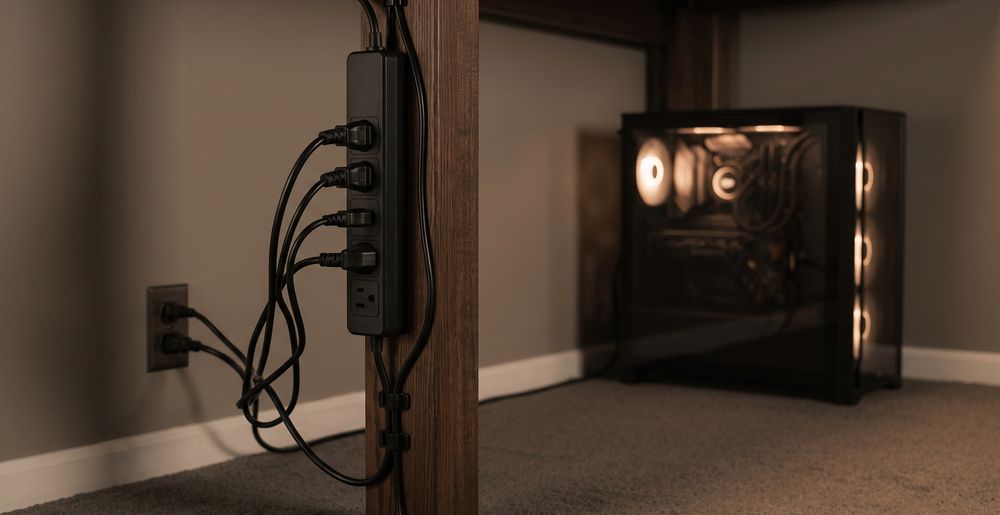
Surge Protector Setup Mistakes That Put Your PC at Risk

About the author...
Dave has been taking gadgets apart since he was old enough to be told not to. Every pick here is checked against the manufacturer's own documentation rather than the retail listing, and each star rating starts from a product's real Amazon customer score before being adjusted for performance, build quality, features and value. Read more about how ratings are calculated.
Table of contents
-
Key Takeaways (TL;DR)
- Daisy-Chaining Surge Protectors: Why Plugging One Into Another Is a Bad Habit
- Whole-Building Surge Protection vs a Desk Strip: Different Layers, Not a Substitute
- What Your Gaming PC's Own Power Supply Already Protects Against
- A Strip That Trips Immediately vs One That Wears Out Silently
- After a Big Surge: What to Actually Check Before Trusting Your PC Again
-
FAQ
- Is it safe to plug a surge protector into another surge protector?
- If I have whole-building surge protection, do I still need a strip at my desk?
- Does my gaming PC's power supply already protect it from surges, without needing a strip?
- My surge protector's status light went dark. What does that mean?
- My PC survived a big power surge and turned back on fine. Is it definitely okay?
- How often should I actually replace a surge-protected strip?
- The Bottom Line
Plugging one surge-protected strip into another, a habit called daisy-chaining, is unsafe. It can push the combined load of everything downstream past what the second strip's cord and fuse are rated to carry. It also doesn't reliably double your protection, because a transient is already clamped by the first unit before it reaches the second.1 Whole-building surge protection at the service panel and a strip under your desk cover different parts of the wiring. Neither one replaces the other.
Most surge protector advice stops at picking a product. Which one has the higher rating. Which one has enough sockets. That's useful, but it skips the part that decides whether the protection you bought actually works when it matters. How you wire your desk together matters. Whether you're relying on panel-level protection instead of a strip matters. What you do in the minutes after a genuinely severe spike matters just as much as the strip itself. None of that shows up on a product listing.
This guide covers the setup side on purpose, not the spec sheet. If you want help comparing specific surge-protected strips on joule rating, socket count and verified claims, that's a separate piece of research this guide links out to. Here, the focus is different: what to actually do with the strip once you own it, what layer of protection you're missing if you only have one kind, and what a PC surviving a big spike really tells you. That's less than most people assume.
Key Takeaways (TL;DR)
- Daisy-chaining strips can push a downstream unit's cord and fuse past their rated load, and rarely adds meaningful extra protection.
- Whole-building surge protection guards the service entrance; it doesn't replace a strip at your own desk.
- Most surges start inside a building, not from lightning, so point-of-use protection still matters even with panel protection fitted.
- A PC's own power supply protections react to faults on its DC output, a different job from the strip's mains-side clamping.
- A tripped breaker or a dark protected-status light signals one severe event, unlike the silent wear that happens over many small ones.
- Powering back on isn't proof nothing was damaged. Check system logs, storage health and stability under real load first.
- Replace a strip after any severe spike, not only once it reaches a fixed age.
Daisy-Chaining Surge Protectors: Why Plugging One Into Another Is a Bad Habit
Daisy-chaining happens for an obvious reason. You run out of sockets. There's a spare strip in a drawer. Plugging it into the strip already at the wall feels faster than running a new cable back to an outlet. It's also one of the more common ways a desk setup ends up drawing more current than either strip was designed for. Electrical safety organisations are consistent on this point: plug outlets are meant to connect directly to a fixed wall receptacle, not chain into one another.1 The reasoning isn't really about the plastic housing or the plug shape. A strip's rated load already assumes everything plugged into it draws power from a single wall socket. Add a second strip's worth of devices behind the first one, and the first strip, its cord and the wall circuit behind it now carry a load neither strip's design ever accounted for.
The protection side is just as misleading, and buyers get this part wrong more often. It's tempting to assume two surge-protected strips in series means twice the protection, the same way two padlocks feel safer than one. In practice it doesn't usually work that way. A transient arriving from the wall hits the first strip's protective circuitry first. If that circuitry does its job, very little surge energy is left by the time it reaches the second strip's own components. The second strip isn't really adding a layer. It's sitting downstream of one, doing very little extra work most of the time. It gets worse if the first strip's protection has already been used up by an earlier event, since that often shows no outward sign at all. Everything chained behind it is then running through a strip protecting nothing, while still looking exactly like it did on day one.
There's a simpler mechanical risk too, and it's the one people notice only after something goes wrong. A cord running from one strip into a socket on another adds an extra connector. It adds strain if either strip gets tugged or knocked. It often means a bundle of cable coiled up somewhere it can trap heat. None of that is dramatic on its own. Combined with a load that's already pushing the rated limit, it's exactly the kind of setup that runs warm under sustained load, like a gaming PC pulling steady power for hours at a time.
The fix costs nothing extra, and it usually takes less effort than untangling a chain of strips anyway. Buy one strip with enough sockets for what your desk actually needs. If that still isn't enough, get an additional fixed socket installed properly rather than daisy-chaining your way around the shortage. If you're shopping for that single, adequately sized strip, this is the point where joule ratings, socket count and load capacity actually matter.
Find a product: Best Surge Protectors for Gaming PCsWhole-Building Surge Protection vs a Desk Strip: Different Layers, Not a Substitute
A surge protective device fitted at the service panel or consumer unit sits where the building's wiring meets the incoming supply. It protects the whole circuit downstream of it from a surge arriving through that feed. It's a genuinely different product category from the strip under your desk, installed by an electrician rather than plugged in by you. It's increasingly built into new-construction electrical codes in some countries, though the rules vary a great deal by country, and older homes are rarely required to retrofit one.2 Buyers sometimes assume that having one fitted makes a desk-level strip redundant. It doesn't, and the reason is worth understanding rather than taking on faith.
A meaningful share of surge events don't come from outside the building at all. Electrical safety researchers estimate that somewhere between 60 and 80 percent of surges originate from equipment switching on and off inside the building itself: HVAC compressors, large motors, and other loads cycling through contactors and relays.3 Every one of those events happens downstream of the service panel, on the same branch circuits your desk is wired into. A panel-level device can't intercept something that starts closer to your PC than it does. That's exactly why manufacturers and safety bodies describe panel-level and point-of-use protection as parts of one coordinated system, not one standing in for the other.
The practical upshot for a gaming desk is straightforward. If your home has whole-building protection fitted, that's a genuine layer of defence against large surges coming in from outside, and it's worth having if it's available to you. It still isn't a reason to skip a surge-protected strip at the desk itself. Internally generated switching transients are one reason. A decent strip also gives you socket count, individual switching and USB charging that a panel-mounted device was never meant to provide. Treat the two as complementary, not as a choice between one or the other.
What Your Gaming PC's Own Power Supply Already Protects Against
It's a fair question: if the power supply inside a gaming PC already has protection circuitry built in, why does an external strip matter at all? The two aren't doing the same job. Understanding where they sit relative to each other clears up a lot of confusion. A modern ATX-compliant power supply typically ships with a defined set of internal protections against fault conditions on its own output. As one example, Corsair's spec sheet for its RM850x lists over-voltage, under-voltage, short-circuit, over-temperature and over-power protection as standard features, built to the ATX12V and EPS power supply standards.4 Protections like these are common across ATX power supplies from most established manufacturers, not just this one model.
Where those protections actually operate is the key detail. They watch the PSU's own DC output rails: the 12V, 5V and 3.3V lines feeding the motherboard, graphics card and drives. They step in if something goes wrong on that side, like a short somewhere in the system, a cable fault, or a rail drawing far more current than it should. That's a real and useful safety net. But it sits entirely downstream of where a mains-borne surge first arrives. A transient coming in through the wall socket hits the PSU's input stage before any of that DC-side circuitry gets involved. A large enough spike can damage the PSU's own input components before its output protections ever have anything to react to.
That's the actual division of labour. An external strip's protective circuitry is positioned to intercept a transient before it reaches the PSU at all, reducing what gets through to the PSU's input in the first place. The PSU's own protections then cover a separate category of fault, generally originating inside the PC itself rather than arriving from the wall. Neither one makes the other redundant. They're watching different points in the same power path for different kinds of problem. A PC with a well-specified PSU and no external surge protection still has no defence against a large transient hitting the wall socket it's plugged into.
A Strip That Trips Immediately vs One That Wears Out Silently
There are two genuinely different ways a surge-protected strip's protection stops working, and they call for different responses. One happens gradually and invisibly, wearing down a little with each surge it absorbs over months or years, with nothing to show for it from the outside. The other happens all at once: a spike severe enough that the strip's circuit breaker trips, a fuse blows, or a protected-status indicator light goes dark the moment it happens. If your strip has a resettable breaker or a status light, that second scenario gives you an actual, visible moment to act on. It's worth paying attention to, not dismissing as an inconvenience.
Whole-home surge protective devices commonly include an indicator light or a small display specifically to show when the unit needs replacing. The same logic applies at the strip level for products that include one.2 A light going dark, or a breaker refusing to reset cleanly, isn't a fault to just work around. It's the strip telling you it absorbed something. In most designs, once that protective component has done its job in a big enough event, it doesn't reset back to full capability just because power flows through the outlets again.
Manufacturer guidance backs this up directly. Belkin's own instructions for one of its surge-protected strips tell owners to replace the unit every few years, or immediately after any over-voltage event such as a lightning strike or a severe outage. They also say to periodically check the strip's housing and cable for signs of wear or heat damage.5 That advice is specific to Belkin's own products. Other manufacturers set their own intervals, so check what your particular strip's documentation actually says rather than assuming one figure applies everywhere. The underlying principle holds regardless of brand: a strip that's just been through a severe event has done real work. Treating it as good as new because it still powers your monitor is the wrong assumption to make.
After a Big Surge: What to Actually Check Before Trusting Your PC Again
A PC that boots normally after a serious power event hasn't necessarily come through unscathed, and this is the part most people skip entirely. Powering on tells you the PSU still starts and the motherboard still posts. It doesn't tell you whether a capacitor took stress it wasn't designed for. It doesn't tell you whether a storage controller wrote a corrupted sector during the interruption. It doesn't tell you whether a component is now running closer to its failure point than it was an hour earlier. None of that shows up by glancing at a desktop wallpaper.
A more useful check starts with the strip itself, if one was involved. Look for a tripped breaker that won't reset, a dark protected-status light, or any sign of heat or discolouration on the casing. Any of those signs means the unit likely absorbed something significant.5 From there, check the PC rather than just trusting that it looks fine. Open Windows Event Viewer, or your operating system's equivalent, and look for unusual errors logged around the time of the event, not just whether it's currently running. Run a check on your storage drives' health rather than assuming files are intact just because the desktop loaded normally. A brief interruption during a write is a common, quiet way data gets corrupted even when the hardware itself survives untouched.
Load matters more than idling at the desktop for spotting a marginal fault. A component that was stressed but not destroyed by a surge can behave normally at idle, then throw an error, reboot unexpectedly, or throttle only once it's actually working hard. For a gaming PC, that means running a game or a benchmark, not just sitting at the login screen. If you notice anything odd in the days after a major event, like random reboots, a USB device dropping out, or a display that flickers under load, don't file it away as unrelated coincidence. Treat it as a lead worth following up, because the surge is the most likely common cause once you already know one happened.
FAQ
Is it safe to plug a surge protector into another surge protector?
No. Electrical safety guidance is consistent that plug outlets should connect directly to a fixed wall receptacle, not be chained together. The combined load of everything plugged in downstream can exceed what the second unit's cord and fuse are rated to carry.1 It also doesn't reliably add a second layer of protection, since a transient is generally clamped by the first unit before the second unit's own protective components ever see it.
If I have whole-building surge protection, do I still need a strip at my desk?
Yes. Panel-level protection covers surges arriving through the incoming supply. But a substantial share of surge events, estimated at 60 to 80 percent, actually originate inside the building itself from equipment switching on and off. That happens downstream of the panel, on the same circuits your desk uses.3 The two layers cover different sources and are meant to work together, not substitute for each other.
Does my gaming PC's power supply already protect it from surges, without needing a strip?
Only partially, and against a different kind of fault. ATX power supplies commonly include protections like over-voltage, under-voltage, short-circuit and over-temperature protection on their own DC output, as listed for example on Corsair's spec sheet for its RM850x model.4 Those protections react to faults inside the PC's own power delivery, not to a transient arriving through the wall socket. That's what an external strip's circuitry is positioned to intercept first.
My surge protector's status light went dark. What does that mean?
It generally means the strip's protective component has already done its job and is no longer providing meaningful protection, even though power may still reach the sockets normally. Devices with a protected-status indicator use it specifically to flag this, the same logic used on whole-home surge protective devices that include a light or display for the same purpose.2 Treat a dark light as a reason to replace the strip, not as a minor cosmetic issue.
My PC survived a big power surge and turned back on fine. Is it definitely okay?
Not necessarily. Booting normally only confirms the PSU starts and the motherboard posts. It doesn't confirm every component escaped stress undamaged. It's worth checking your system's error logs around the time of the event, verifying your storage drives' health rather than assuming files are intact, and watching for instability specifically under real load, like gaming or a benchmark, over the following days rather than just at idle.
How often should I actually replace a surge-protected strip?
There's no single figure that applies to every product, since replacement guidance comes from the manufacturer rather than a universal standard. Belkin, for example, recommends replacing its own surge-protected strips every few years, or immediately after a severe over-voltage event such as a lightning strike, and checking the unit periodically for signs of wear or heat damage.5 Check your specific strip's own documentation for its stated interval, but treat any severe event as a trigger for replacement regardless of the model's age.
The Bottom Line
Get the setup right and the strip you buy can actually do its job. Don't chain a second strip off the first one to gain extra sockets. Buy one strip sized for what your desk actually needs instead, since daisy-chaining risks overloading a downstream unit without meaningfully doubling your protection. If your home has whole-building surge protection fitted, that's a real layer of defence, but it isn't a substitute for a strip at the desk, since a large share of surges start inside the building on the same circuits your PC uses. Your PC's own power supply already guards against faults on its DC output, a separate job from the mains-side clamping an external strip provides, so neither one makes the other pointless. And when a strip trips, its light goes dark, or your PC comes through a genuinely severe event, don't just assume everything's fine because it powered back on. Check the strip for signs it did its job. Check your system's logs and storage health. Watch how it behaves under real load before trusting it completely again.
-
Extension Cord Safety Tips, Electrical Safety Foundation International ↩︎ ↩︎ ↩︎
-
Your Old Surge Protectors Aren't Protecting Anything, How-To Geek ↩︎ ↩︎ ↩︎
-
Common Surge Internal Causes, Electrical Safety Foundation International ↩︎ ↩︎
-
6-outlet Surge Protection Strip with 2M Power Cord, Belkin ↩︎ ↩︎ ↩︎