

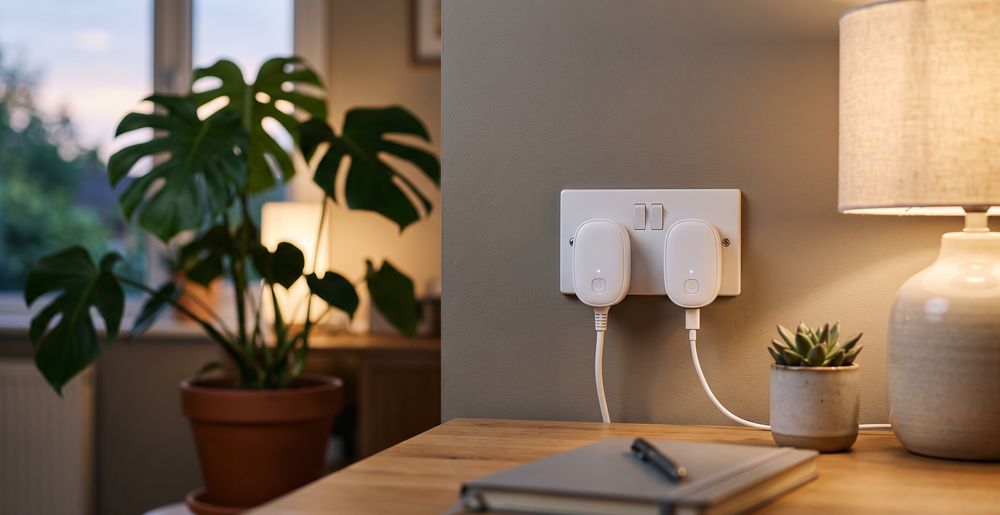
Best Smart Plug for Home Automation and Energy Monitoring

About the author...
Dave has been taking gadgets apart since he was old enough to be told not to. Every pick here is checked against the manufacturer's own documentation rather than the retail listing, and each star rating starts from a product's real Amazon customer score before being adjusted for performance, build quality, features and value. Read more about how ratings are calculated.
Table of contents
- Key Takeaways (TL;DR)
- How We Choose
- Quick Comparison
- TP-Link Tapo P110 Smart Plug
- Eve Energy (Matter) Smart Plug
- Amazon Basics Single Outlet Indoor Wi-Fi Smart Plug
- Meross Smart Plug Mini
- Hive Active Plug
- Meross Outdoor Smart Plug
- Shelly Plus Plug
- Innr Smart Plug with Power Monitoring
- SONOFF WiFi Smart Plug Socket Mini S60TPG
- Tapo P304M Smart Plug Power Strip
-
Best Smart Plug FAQ
- What load rating do I actually need?
- Why do some plugs have energy monitoring and others don't?
- Do I need a hub, and will it work with the one I already own?
- What's the practical difference between Wi-Fi, Matter/Thread, and Zigbee here?
- Will a smart plug physically block the socket next to it?
- How long does a smart plug actually last?
- Is it safe to plug a smart plug into an extension lead, or stack multiple smart plugs?
- Do smart plugs work with smart bulbs plugged into a lamp?
- The Best Smart Plug for You
The best smart plug overall is the TP-Link Tapo P110, because it pairs a confirmed 13A/2990W load rating with real energy monitoring and no hub requirement.1 Nine more alternatives below cover a Matter/Thread option for Apple Home, a compact plug built to not block the socket next to it, an outdoor-rated pair of sockets, a Zigbee plug for an existing mesh, the simplest possible Alexa-only setup, a local-control option for Home Assistant users, an open Zigbee plug that isn't locked to one hub, the cheapest plug that still monitors energy, and a multi-outlet power strip with monitoring on every socket.
A smart plug sits between a wall socket and whatever you plug into it. It gives that device a schedule, a voice command, and sometimes a running record of how much power it draws. It's the cheapest, least invasive entry point into home automation: no wiring, no electrician, just a socket and an app. That also makes it easy to buy the wrong one, because the spec sheet differences that actually matter, like load rating, protocol, and physical footprint, rarely show up in the marketing photos.
What separates a good smart plug from a disappointing one usually isn't the app or the voice-assistant badge on the box. It's whether the plug can safely carry what you actually connect to it. It's also whether it needs extra hardware to do anything beyond basic on/off, and whether its body is small enough to still leave the next socket usable. A plug that nails the app experience but blocks half your extension lead, or throttles under a real heater load, isn't a good buy, no matter how polished the setup flow is.
Key Takeaways (TL;DR)
- Check the max load rating before connecting anything that generates heat, like a heater, kettle, or slow cooker; a lighting-only plug can be underpowered for that.
- Energy monitoring is not universal. Seven of the ten plugs here track power draw; the other three are plain on/off switches with no monitoring at all.
- Wi-Fi plugs need no hub; Matter/Thread and Zigbee plugs usually do. That hub is an extra cost and another piece of hardware if you don't already own one.
- Physical size decides whether you lose the next socket. A bulky plug body can cover the neighbouring outlet on a twin wall socket or extension lead.
- App and ecosystem lock-in is real. Some plugs work with one voice assistant only; others are genuinely cross-platform through Matter.
- A relay-based plug has no official duty-cycle rating published by any brand here, so treat "how long will it last" as an open question rather than a fixed number.
- A smart plug controls power to a device, not the device itself. It can't make a dumb heater smarter than "on" or "off," schedules and all.
How We Choose
Each plug is scored on whether it reliably switches and, where relevant, measures the load it's rated for, how the hardware and app hold up in real use, and whether its extra features (energy monitoring, dual sockets, mesh boosting) are genuinely useful rather than padding. We weigh price against the other nine products here, not the whole market. Load ratings, protocols, and hub requirements are checked against each manufacturer's own spec page where one exists, since Amazon bullet points routinely repeat the wrong regional figure.
We don't run our own lab tests on these — no dedicated rig, no controlled conditions. What we do instead: read through the verified-purchase reviews in full, not just the star average, weighting the ones written weeks or months after purchase over launch-week first impressions, since that's where wear, reliability problems, and real-world performance gaps actually show up. Where a product genuinely lacks that kind of track record, we say so in its write-up rather than papering over it.
Quick Comparison
Each product's overall rating starts from its real Amazon customer rating, then gets adjusted (up to ±0.5) for real-world performance, build quality, features, and value. Click a product name to jump straight to its full review below.
| Product | Best For | Type | Key Detail | Key Spec |
|---|---|---|---|---|
|
TP-Link Tapo P110 Smart Plug 4.9 |
One plug that covers energy monitoring and wide voice-assistant support | Wi-Fi smart plug | 13A / 2990W max load | 2.4GHz Wi-Fi, app energy monitoring, no hub |
|
Eve Energy (Matter) Smart Plug 4.3 |
Apple Home and Matter households that want local control | Matter over Thread smart plug | 13A / 2900W, relay software-limited above 11A | Matter over Thread, keeps working locally without internet |
|
Amazon Basics Single Outlet Indoor Wi-Fi Smart Plug 4.5 |
Alexa households that want the simplest possible setup | Wi-Fi smart plug | Alexa-only, no hub | Alexa app only, no Matter/Thread/Zigbee support |
|
Meross Smart Plug Mini 4.5 |
Fitting a smart plug without losing the socket next to it | Compact Wi-Fi smart plug | Slimmest body in this lineup | Flame-retardant PC body, sliding safety cover, no energy monitoring |
|
Hive Active Plug 4.8 |
Households already running a Hive Hub and other Hive devices | Zigbee smart plug | Zigbee mesh with a built-in signal booster | Zigbee, extends the Hive mesh, requires Hive Hub |
|
Meross Outdoor Smart Plug 4.4 |
Powering garden, patio, or shed devices safely | Outdoor Wi-Fi smart plug | IP44, two independently switched sockets | IP44 weatherproof housing, 13A max, no energy monitoring |
|
Shelly Plus Plug 5.0 |
Home Assistant users and anyone who wants local, no-cloud control | Wi-Fi smart plug | 13A / 3000W, local API and Home Assistant support with no cloud dependency | Local API, MQTT, webhooks, no hub needed |
|
Innr Smart Plug with Power Monitoring 4.1 |
An open Zigbee mesh that isn't locked to one company's own hub | Zigbee smart plug | 13A, works with Hue, SmartThings, Home Assistant, and other open Zigbee hubs | Zigbee repeater, real-time voltage/current monitoring |
|
SONOFF WiFi Smart Plug Socket Mini S60TPG 4.7 |
The cheapest way into this category that still tracks power draw | Compact Wi-Fi smart plug | 13A / 3250W with energy monitoring at a budget price | eWeLink app, energy monitoring, IFTTT support |
|
Tapo P304M Smart Plug Power Strip 5.0 |
Powering and separately tracking several devices from one socket | Matter Wi-Fi power strip | 4 individually controlled outlets, each with its own energy monitoring | Matter certified, per-outlet monitoring, surge protection |
TP-Link Tapo P110 Smart Plug
Best Overall
based on 4597 Amazon reviews (4.5★), adjusted for performance, build and value
What We Love About the Overall Pick
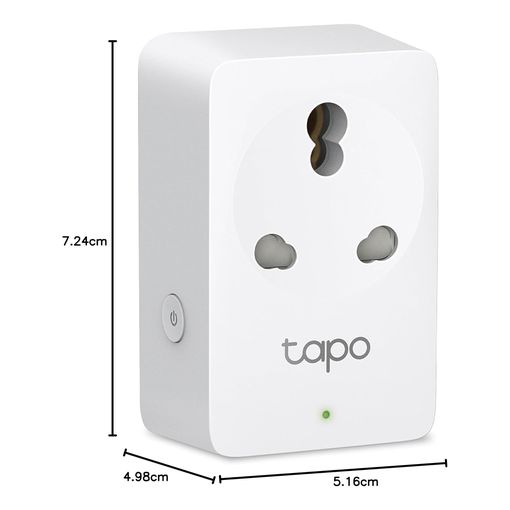
This is the plug to reach for if you just want one that does everything well. TP-Link's own spec page confirms a 2990W maximum load at 13A.1 That comfortably covers a kettle, a space heater, or anything else that draws real current, not just lighting. It connects straight to 2.4GHz Wi-Fi with no separate hub, and the app tracks daily, monthly, and yearly power consumption with a running cost estimate. Alexa and Google Assistant are both supported. It isn't tied to a single ecosystem the way some of the plugs further down this list are. Its reviews are plentiful and positive, but none of the ones we could find state how many weeks or months the reviewer had actually owned it, so treat the glowing star average as a real signal without a matching long-term account to back it up.
The Overall Pick: All The Details
The plug body measures roughly 72 by 51 by 40mm, small enough that it doesn't swallow the socket next to it on most twin wall sockets.1 TP-Link doesn't publish a formal accuracy figure for the energy monitoring. Treat the wattage and cost readings as a useful trend rather than a certified meter reading. Away mode randomises on/off times to make an empty home look occupied, and an auto-off timer can cut power after a set period. The housing is polycarbonate with CE and UKCA marking, and setup runs entirely through the Tapo app without any third-party hub or subscription.
Eve Energy (Matter) Smart Plug
Best for Apple Home and Matter
based on 83 Amazon reviews (4.1★), adjusted for performance, build and value
Why the Matter Pick Stands Out
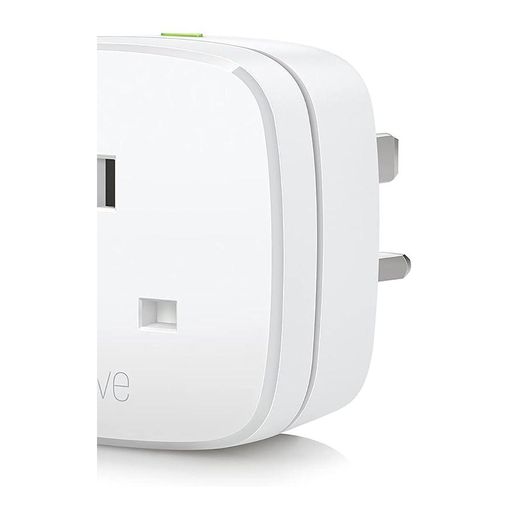
Eve builds this plug around Matter over Thread rather than treating Matter as an afterthought bolted onto an existing Wi-Fi product. Our companion guide covers what Matter and Thread actually buy you in more depth; the short version here is that this plug talks natively to Apple Home, Alexa, Google Home, and SmartThings at once, and it keeps working locally if your internet connection drops.2 Every powered Eve Energy unit also acts as a Thread router, so adding more of them strengthens the mesh for other Thread devices in the home, not just itself.
Matter Pick: All The Details
Eve's own spec sheet lists this model at 13A and 2900W maximum for the version sold with a rectangular three-pin plug. One caveat is worth knowing before you connect anything demanding: the relay is switched off by software above 11A as a protection measure.3 So the practical ceiling sits below the printed maximum. It also needs a hub that supports both Matter and Thread to do anything beyond a manual press. Most current-generation smart speakers and streaming boxes from Apple, Google, and Amazon now provide that. Still, it's an extra requirement if you don't already own one.3 Energy tracking is built into the Eve app, with cost projections once you enter your electricity rate, though Eve doesn't publish a formal accuracy percentage for the readings. It carries fewer Amazon reviews than the other plugs here, which is worth weighing against the genuine local-control advantage. One buyer's early verdict captured that thin track record honestly: "Great, but a little big... Only had them a month, lets see how they stand the test of time."
Amazon Basics Single Outlet Indoor Wi-Fi Smart Plug
Best Budget Pick
based on 2910 Amazon reviews (4.4★), adjusted for performance, build and value
The Case for the Simplest Setup
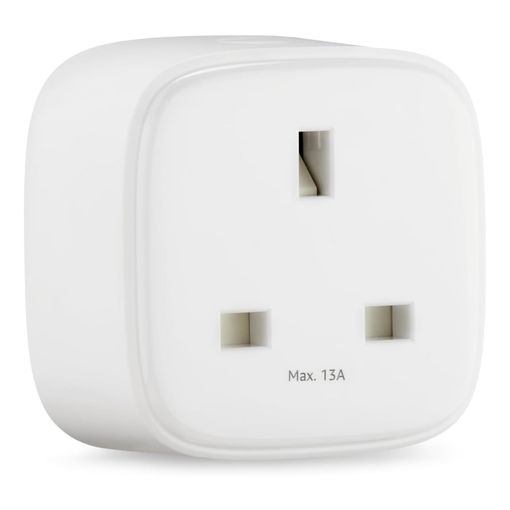
Setup here is about as close to zero-friction as this category gets. Plug it in, open the Alexa app, and it's ready, with no separate hub and no third-party app to install. The listing is explicit that it works exclusively with the Alexa app and Alexa-enabled devices, which is either a non-issue or a dealbreaker depending on what's already running your home. It's also, by a wide margin, the most-reviewed budget option in this roundup, which counts for something in a category full of short-lived white-label listings.
Budget Pick: All The Details
Amazon doesn't publish a maximum load or current rating for this plug anywhere on the listing. That's the one blind spot worth flagging before pairing it with anything power-hungry. Score it conservatively for high-draw appliances until you've checked the printed rating on the unit itself. There's no energy monitoring, no Matter or Thread support, and no Zigbee fallback. This is a single-ecosystem product by design, not by accident. The compact body is built specifically to fit one socket and leave the rest of a multi-outlet strip usable. For a single lamp or fan on an Alexa-only household, that's genuinely all most buyers need. Its reviews are strongly positive, though none we found stated an explicit ownership timeframe, so there's no verified long-term account to weigh against that record here.
Meross Smart Plug Mini
Best Compact Pick
based on 1095 Amazon reviews (4.4★), adjusted for performance, build and value
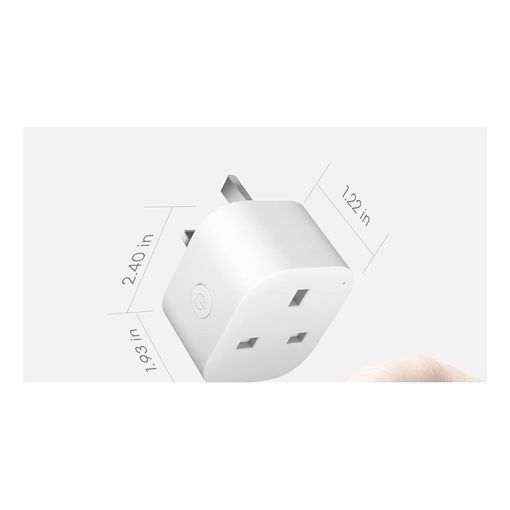
Solving the Blocked-Socket Problem
Plug a bulky smart plug into one half of a twin wall socket or a power strip, and it can easily swallow the socket right next to it. That's a genuinely common complaint in this category, and the main reason this plug earns its spot. Meross builds this one specifically to sit flush enough that a normal plug still fits in the neighbouring outlet, and the listing markets that fit directly rather than as an afterthought. HomeKit, Alexa, Google Assistant, and SmartThings are all supported without a hub. It connects straight to an existing Wi-Fi network over 2.4GHz using the 802.11b/g/n standard.4 One buyer summed up the early ownership experience simply: "I've been using it for a few weeks now and haven't experienced any issues or glitches."
Compact Pick: All The Details
There's a real tradeoff for that small footprint. Meross's own spec sheet for this model lists no energy monitoring at all, so if tracking usage matters to you, this isn't the plug.4 The housing is flame-retardant polycarbonate with a sliding safety cover over the socket, and the on/off button doubles as a factory-reset control when held for five seconds. Meross publishes a 15A rating for the version of this plug sold in North America and Japan, but it doesn't state an equivalent figure for the design sold here. Don't assume the two are interchangeable specs; check the rating printed on the unit itself before connecting anything demanding. For a phone charger, a lamp, or a diffuser, none of that matters much.
Hive Active Plug
Best for an Existing Zigbee Mesh
based on 496 Amazon reviews (4.6★), adjusted for performance, build and value
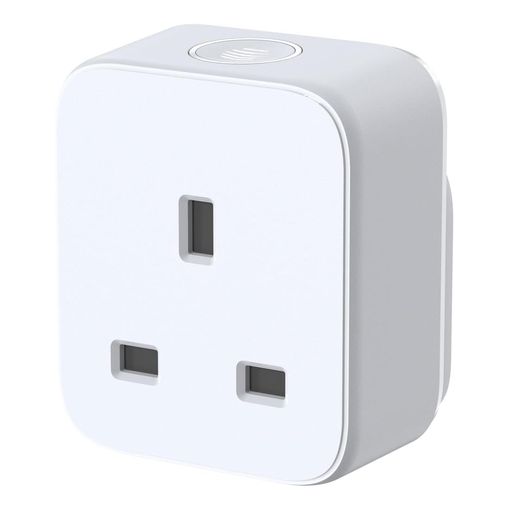
What Makes the Zigbee Pick Different
Every other plug in this roundup connects straight to Wi-Fi. This one runs on Zigbee instead, a low-power mesh protocol distinct from both Wi-Fi and Thread. It needs a Hive Hub to do anything at all, unless you already own other Hive devices sharing one.56 That hub dependency is a real cost if you're starting from nothing. But it buys you something the Wi-Fi plugs here don't offer. Hive's own product page confirms this plug acts as a signal booster, extending the range and reliability of the mesh for every other Hive device in the home, not just itself.6
Zigbee Pick: All The Details
Hive doesn't publish a maximum load or current rating anywhere on its own product page or the Amazon listing. That stands out given how central that figure is to this category. Score any high-draw use conservatively until you've checked the rating printed on the unit.6 The plug measures 54 by 64mm, plus 59.4mm deep including the pins. Hive backs it with a standard one-year warranty, extendable through its optional Hive+ membership.6 Hive does market usage tracking through the app, showing how much a connected device is drawing, though like TP-Link and Eve it publishes no formal accuracy figure for those readings, and there's no multi-platform voice support beyond what Hive's own ecosystem provides.6 This is squarely a plug for households already committed to Hive rather than a general-purpose pick. Reviews and rating are solid, reflecting an established brand with real support behind it rather than a drop-ship listing. None of its reviews we found gave a specific ownership timeframe, though, so treat that track record as reputational rather than independently verified here.
Meross Outdoor Smart Plug
Best for Outdoor Use
based on 472 Amazon reviews (4.2★), adjusted for performance, build and value
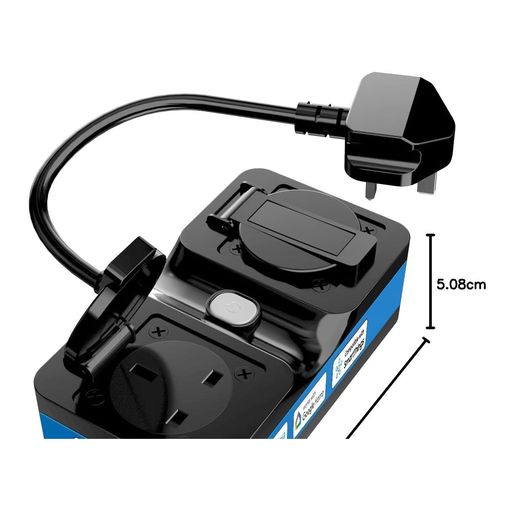
Why This One Goes Outside
None of the other nine plugs in this list are rated for weather exposure. Running an indoor-only plug outdoors is a real safety problem, not just a warranty technicality. Meross's own spec sheet confirms this unit carries an IP44 rating. That means it's protected against solid objects larger than roughly 1mm and against water splashing from any direction.78 It's enough for garden lighting, a pond pump, or holiday lights left out through a season of typical weather. Two sockets are switched independently through the app, so a pump and a set of lights plugged into the same unit don't have to share one on/off state.
Outdoor Pick: All The Details
Meross's spec page lists a 13A maximum output for the version sold with a rectangular three-pin plug, connecting over 2.4GHz Wi-Fi with no hub required.7 The power cord running from the sealed housing to the plug head is short, around 28.5cm, so plan its position close to the socket rather than expecting it to reach across a patio.7 Like the compact indoor Meross plug above, this one skips energy monitoring entirely, and the IP44 rating covers splashing rather than submersion, so it still needs a sheltered spot rather than direct exposure to standing water or driving rain.78 Voice control runs through HomeKit, Alexa, Google Assistant, and SmartThings. Longevity reports are mixed: one buyer who fitted it for their outdoor Christmas lights reported it had "stopped working" entirely about six weeks later, with the weatherproof QR code worn to the point that Meross support couldn't identify the unit from it.
Shelly Plus Plug
Best for Home Assistant and Local Control
based on 131 Amazon reviews (4.6★), adjusted for performance, build and value
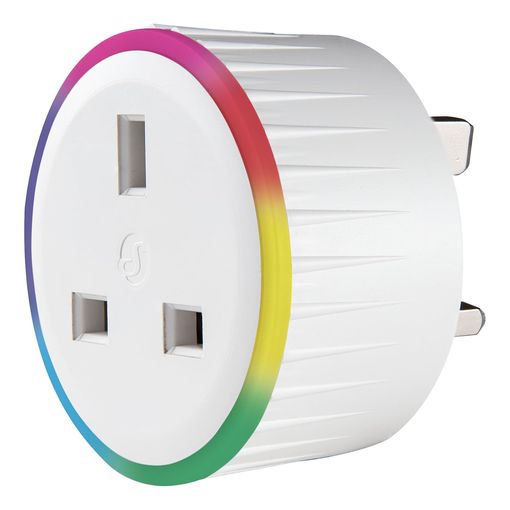
What We Love About the Local-Control Pick
Every other Wi-Fi plug in this roundup routes its control and monitoring through the manufacturer's own cloud app. Shelly built this one to work just as well without one: it exposes a local API directly on the network, supports MQTT and webhooks, and integrates with Home Assistant without ever touching a company server. That matters if you'd rather your lights and heater keep working during an internet outage, or you simply don't want another account tied to your home. One owner who's run several of these on genuinely demanding loads said they've been "on high-current items such as the tumble dryer and washing machine for almost 2 years now" with no failures, a rare specific, multi-year account in a category where most reviews are written in the first week.
Local-Control Pick: All The Details
Shelly rates the socket at 13A and 3000W maximum, in line with the other Wi-Fi plugs here, and it carries built-in overcurrent, overpower, overvoltage, and overheating protection. The multicolour LED ring doubles as a status indicator or a small night light, and can be turned off entirely if that's not wanted. It's slightly larger than the slimmest plugs in this roundup, and more than one owner noted it can crowd the neighbouring socket on a twin wall outlet. For anyone building a serious Home Assistant setup, or who just wants a plug that isn't a dead brick the moment the internet drops, that tradeoff is an easy one to accept.
Innr Smart Plug with Power Monitoring
Best Open Zigbee Plug
based on 145 Amazon reviews (4.0★), adjusted for performance, build and value
Why This One Isn't Locked to a Single Hub
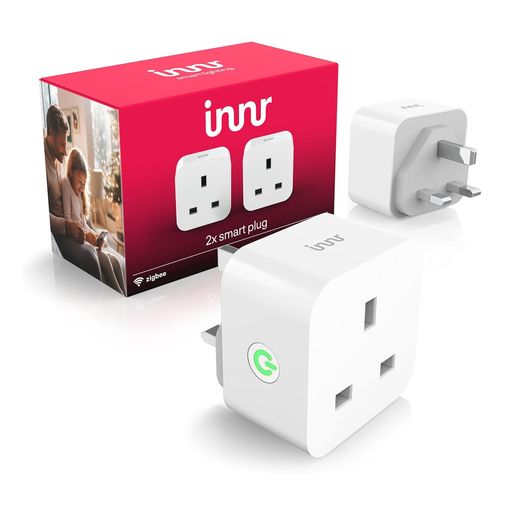
The Hive Active Plug earlier in this roundup only works with a Hive Hub. This one takes the opposite approach. It's a Zigbee plug that pairs directly with a Philips Hue bridge, SmartThings, Home Assistant, or Homey, so it slots into whatever Zigbee ecosystem someone's already built rather than requiring a new one. It also reports real-time voltage, current, and power draw to whichever of those systems it's paired with, and acts as a Zigbee repeater for other devices on the mesh. That flexibility comes with a genuinely mixed durability record, though: one long-term owner who'd used close to 20 of these over roughly five years reported that "the high-voltage relay fails within a couple of years" on most units, especially ones connected to amplifiers or phone chargers, alongside occasional Zigbee network dropouts that need a power cycle to clear.
Open Zigbee Pick: All The Details
It doesn't work with Apple HomeKit, Hue Entertainment, or Hue Secure, so check that against what's already running before buying. Voice control needs a compatible bridge for most Alexa and Google Home devices, though newer Echo hardware can connect directly. The body is only slightly wider than a standard plug, so it shouldn't block an adjacent socket the way some smart plugs do. Given the relay-life reports above, this is a better fit for lower-draw, frequently-cycled loads like lighting than for something that stays under constant heavy current for years at a time.
SONOFF WiFi Smart Plug Socket Mini S60TPG
Best Budget Plug With Energy Monitoring
based on 200 Amazon reviews (4.4★), adjusted for performance, build and value
What We Love About the Budget Monitoring Pick
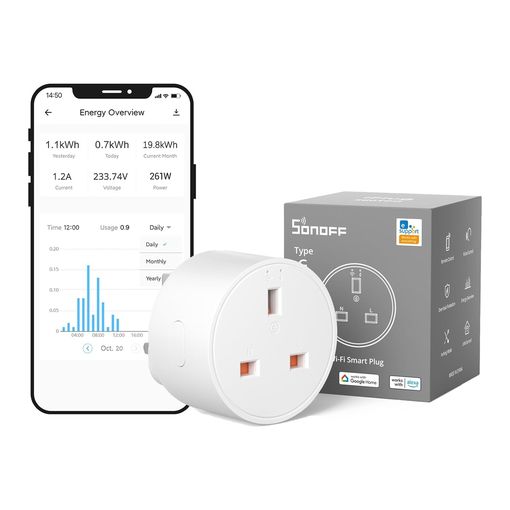
The Amazon Basics plug earlier in this list is cheaper still, but it can't tell you anything about what it's powering. This one can, at a price close to a plain on/off plug with none of that capability. It reports current, voltage, and running power draw through the eWeLink app, supports Alexa, Google Home, and IFTTT, and needs no separate hub. Its review section doesn't carry a long-term account establishing a clear ownership timeframe, so treat its strong star average as a real but not yet independently verified signal of durability, the same honest caveat that applies to a couple of other picks in this list.
Budget Monitoring Pick: All The Details
SONOFF rates the socket at 13A and 3250W, and the compact 58x58x42mm body is close in footprint to the TP-Link and Amazon Basics plugs, so it shouldn't swallow a neighbouring outlet. Everything routes through the eWeLink app; there's no alternative app option, which one reviewer flagged as a privacy concern worth knowing about before buying into the ecosystem. Setup, scheduling, and smart scenes (triggering the plug from a separate temperature or motion sensor, for instance) all work the same way as SONOFF's other Wi-Fi devices, so it fits easily alongside other SONOFF kit already running in a home.
Tapo P304M Smart Plug Power Strip
Best Multi-Outlet Power Strip
based on 741 Amazon reviews (4.8★), adjusted for performance, build and value
What We Love About the Power Strip Pick
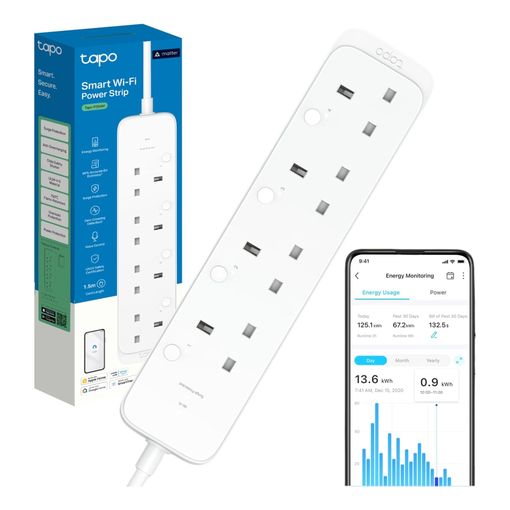
Every other product in this roundup is a single socket. Sometimes that's the wrong shape for the problem. The P304M packs four individually switched outlets into one strip, and unlike a plain extension lead, each socket reports its own energy use separately rather than lumping everything into one combined figure. One owner used it to discover their fish tank and standby television were costing more than expected, precisely the kind of per-device insight a single smart plug on a shared strip can't give you. It's Matter certified over Wi-Fi, so it can join Apple Home, Google Home, Alexa, or SmartThings directly, and it kept working locally through a Matter connection even when one reviewer's app of choice didn't fully support it yet.
Power Strip Pick: All The Details
TP-Link rates the strip at 13A total across all four outlets, so treat that as a shared budget rather than 13A available per socket. It carries surge protection and a "zero-crossing detection" circuit that TP-Link says reduces the relay wear responsible for most smart plug failures, a specific claim worth treating as the manufacturer's own testing rather than an independently verified figure. Reviews are consistently strong, but the ones we read skewed toward recent purchases rather than years of ownership; one reviewer was upfront about this, noting they'd "only had a couple of days" and couldn't yet speak to long-term reliability, which is a fair summary of where this pick's track record currently stands.
Best Smart Plug FAQ
What load rating do I actually need?
Match the rating to the highest-draw device you'll ever plug in, not the average one. A lamp or phone charger draws next to nothing. A kettle, space heater, or slow cooker can pull close to what a mains socket allows. Seven of the plugs in this roundup, the TP-Link, Eve, Meross outdoor, Shelly, Innr, SONOFF, and Tapo P304M picks, publish a confirmed 13A rating for the version sold here.137 The Amazon Basics, Hive, and Meross Mini plugs don't publish a figure at all. Check the rating printed on the unit itself before connecting anything that generates heat.
Why do some plugs have energy monitoring and others don't?
Energy monitoring needs extra metering hardware inside the plug, which adds cost, so brands reserve it for specific models rather than building it into every plug they sell. Of the ten plugs here, the TP-Link Tapo P110, Eve Energy, Hive Active Plug, Shelly Plus Plug, Innr Smart Plug, SONOFF S60TPG, and Tapo P304M all track power draw over time; the Amazon Basics and both Meross plugs are plain on/off switches with no metering at all.47 None of them publishes a formal accuracy percentage for their readings, so treat the numbers as a useful trend rather than a certified meter.136
Do I need a hub, and will it work with the one I already own?
Check each plug's own requirement rather than assuming. The Wi-Fi plugs here, TP-Link, Amazon Basics, both Meross plugs, Shelly, SONOFF, and Tapo P304M, connect straight to a router with no hub at all.147 Eve Energy needs a hub that supports both Matter and Thread. Many current smart speakers and streaming boxes now provide that.3 Hive needs its own Hive Hub, unless you already run one for other Hive devices. Innr's Zigbee plug needs a Zigbee hub too, but unlike Hive's it isn't locked to one company's own hardware. Hue, SmartThings, and Home Assistant all work. That hub won't control a Zigbee plug from a different brand just because both say "Zigbee" on the box.65
What's the practical difference between Wi-Fi, Matter/Thread, and Zigbee here?
A Wi-Fi plug talks straight to a router. That needs no extra hardware, but it adds one more permanent client to a home network. Zigbee is a separate low-power mesh protocol, distinct from Wi-Fi, that needs a hub or gateway to bridge it to the internet and your phone.5 Matter is a cross-brand control standard that can run over Wi-Fi or over Thread, a mesh network similar in spirit to Zigbee but built for Matter compatibility. Our companion guide on smart light switches covers what that standard actually buys a buyer in more depth.2
Will a smart plug physically block the socket next to it?
On some plugs, yes, and it's one of the most common complaints in this category once buyers actually fit one. Twin wall sockets and power strips space their outlets close together, and a plug body that's too deep or too wide can cover the neighbouring socket entirely. The Meross Smart Plug Mini in this roundup is built specifically around a slim profile to avoid that; the TP-Link and Amazon Basics plugs are also compact enough to leave the next socket usable on most fittings.14 The Shelly Plus Plug is one to watch here: more than one owner reported it crowding the neighbouring socket on a twin wall outlet. Check a plug's stated dimensions against your own socket layout if this has bitten you before.
How long does a smart plug actually last?
None of the brands in this roundup publish an official switching-cycle or duty-cycle rating for these specific plugs, so there's no verified number to give you here. In practice, the mechanical or solid-state relay inside is the part most likely to wear out over years of daily switching, well before the Wi-Fi or Zigbee radio does. If a plug starts failing to respond reliably or clicking without switching the load, that's usually the relay reaching the end of its life rather than a software fault.
Is it safe to plug a smart plug into an extension lead, or stack multiple smart plugs?
The general principle that applies everywhere is straightforward. Never exceed the lowest-rated link in the chain, whether that's the extension lead, the smart plug, or the socket itself. Stacking multiple high-draw devices through smart plugs on a single extension lead is exactly how leads get overloaded, since the lead's own rating doesn't increase just because the load is split across several plugs. Exact wiring rules and extension lead ratings vary by country. Check the guidance that applies where you live rather than assuming a rating printed on one product elsewhere applies to your own setup.
Do smart plugs work with smart bulbs plugged into a lamp?
Generally yes for a simple lamp, but it's worth knowing the limitation before you rely on it. A smart plug can only turn power fully on or off; it can't dim a bulb or change its colour, so pairing one with a smart bulb usually means picking one or the other to actually control, not both. If someone switches the smart plug off at the wall, a smart bulb downstream loses power entirely and drops off the network until the plug switches back on, the same disconnection problem that affects any smart bulb wired through an ordinary switch.
The Best Smart Plug for You
Start with the TP-Link Tapo P110 if you want one plug that covers energy monitoring, a confirmed load rating, and wide voice-assistant support without a hub. Choose the Eve Energy if you're building around Apple Home or Matter and want local control that survives an internet outage, or the Hive Active Plug if you're already running a Hive Hub. Pick the Meross Smart Plug Mini or the Amazon Basics plug when a compact footprint or dead-simple Alexa setup matters more than extra features, and reach for the Meross Outdoor Smart Plug the moment anything needs to live outside. If you're building a serious Home Assistant setup, the Shelly Plus Plug's local API is hard to beat, and the Innr Smart Plug is the one to reach for if you want Zigbee without being locked into a single company's hub. The SONOFF S60TPG brings energy monitoring down to a genuinely low price, and the Tapo P304M is the pick when several devices need separate tracking from one strip rather than a single socket.